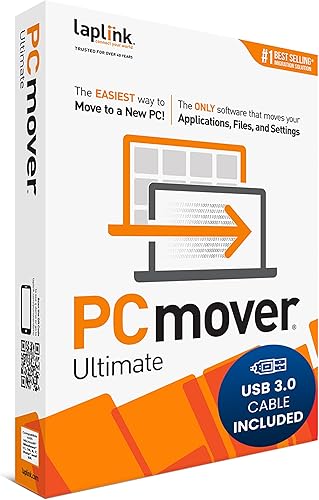
Laplink PCmover Professional - Move your Applications, Files and Settings from an Old PC to a New PC - Data Transfer Software - 1 Use License
LAPLINK · ASIN: B07QHLRL1H
Key Features
- FAST AND EFFICIENT TRANSFER OPTIONS - Seamlessly move the entire personality of your old PC to your new PC with Laplink’s PCmover. Now includes Wi-Fi Direct for faster connections. One license allows unlimited transfer attempts from one source to one destination computer; additional licenses are required for more PCs.
- AI-ASSISTED TRANSFER INSIGHTS - PCmover’s AI Assistant generates a clear summary of transferable items, lets you ask questions, make adjustments, and recommends the best options for your migration. Enjoy a personalized, interactive setup experience that guides you step-by-step.
- MAXIMUM PERFORMANCE AND RELIABILITY - Get speed and efficiency with PCmover’s optimized transfer methods, including new AI and Wi-Fi Direct to ensure the fastest, smoothest connection possible. Say goodbye to long wait times and start using your new PC right away.
- COMPLETE SELECTIVITY FOR CUSTOMIZED TRANSFERS - Enjoy full control with PCmover’s selectivity feature. Choose specific applications, files, folders, and settings to transfer for a tailored experience. With the option to "undo" changes, PCmover makes it easy to fine-tune your migration to fit your preferences.
- SEAMLESS COMPATIBILITY ACROSS WINDOWS VERSIONS - Easily transfer data between Windows XP, Vista, 7, 8, 8.1, 10, and Windows 11. PCmover’s comprehensive compatibility ensures reliability across platforms, so your data arrives exactly as it should.
About This Product
Shipper / Seller Amazon.com Services LLC Amazon.com Services LLC Shipper / Seller Amazon.com Services LLC Payment Secure transaction Your transaction is secure We work hard to protect your security and privacy. Our payment security system encrypts your information during transmission. We don’t share your credit card details with third-party sellers, and we don’t sell your information to others. Learn more
Product Details
- Brand
- LAPLINK
- Manufacturer
- LAPLINK
- ASIN
- B07QHLRL1H
Customer Reviews Summary
Getting a new computer and transferring everything from your old computer is a modern technological hassle. This is particularly the case for advanced users that have added multiple applications and customization. If you haven't done added much to your old computer, you probably won't benefit as much from this program. It does an excellent job of transferring files you have created, but there are other ways of achieving the same thing, including one built in to Windows. Windows 11 puts many of your library folders (including Documents and Pictures) in OneDrive, Microsoft's cloud. You will have automatic access to those files on a new computer.So what are its benefits? Installation is easy. Its ability to transfer applications is like magic. Without that, you will have to reinstall all your programs by scratch. The people that wrote this program clearly have a deep understanding of the Windows Registry, which is obscure for most of us. What I find particularly amazing that it can transfer applications from earlier versions of Windows to newer versions. I have only had experience with moving from Windows 10 to Windows 11, but it claims to do this with much older versions of Windows.So does it have drawbacks? Yes. Programs that require license keys will probably need them again. Be sure to have a copy of them. For many modern programs, you can get them from the software's website. A very, very small proportion of programs will need to be reinstalled. The carryover of customization needs improvement. For example, it doesn't seem to be able to accurately recreate the programs on the Taskbar or the Start Menu. That's surprising to me, because shortcuts for those programs are in special folders that are not easy to find, but given its sophistication, that shouldn't be a problem for PCmover. It also did not carry over my Mouse customizations. I don't know where those are kept, but I would guess the Registry. There are programs that will somehow determine your license numbers. I have found Belarc Advisor, which is free for personal use, helpful, but there are others. Although they are not perfect, they can be very helpful for older programs, including Adobe programs. If you keep your library applications on an external hard drive and intend to simply move those drives to the new computer, you will need to make changes in Windows. I can imagine PCmover identifying these situations and asking what you want done. Depending on the connection between the two computers and number of files, the process can be slow, several hours, but it requires no attention.I have used this program four times, including one where I had PCmover transfer everything to an external hard drive, did a clean reinstall of Windows, and then transferred everything back. I was concerned that this would mess up my clean install, but it didn't. Despite its limitations, I would always use it to move things to a new computer.
Related Products

Laplink PCmover Ultimate 11 - Migration of your Applications, Files and Settings from an Old PC to a New PC - Data Transfer Software - With Optional High Speed Ethernet Cable - 1 License

Laplink PCmover Ultimate 11 - Migration of your Applications, Files, and Settings from an Old PC to a New PC - Data Transfer Software - With Optional Super Speed USB 3.0 Transfer Cable - 1 License
![Norton 360 Premium, 2026 Ready Antivirus software for 10 Devices with Auto-Renewal – Includes Advanced AI Scam Protection, VPN, Dark Web Monitoring & PC Cloud Backup [Key Card]](https://m.media-amazon.com/images/I/71zyM-0FAQL._AC_SL1500_.jpg)
Norton 360 Premium, 2026 Ready Antivirus software for 10 Devices with Auto-Renewal – Includes Advanced AI Scam Protection, VPN, Dark Web Monitoring & PC Cloud Backup [Key Card]
![Norton 360 Deluxe, Antivirus software for 3 Devices with Auto-Renewal – Includes Advanced AI Scam Protection, VPN, Dark Web Monitoring & PC Cloud Backup [Download]](https://m.media-amazon.com/images/I/719bgx+IiYL._AC_SL1500_.jpg)